


09:12. “When are we handing this order over?”
09:18. “Has the client paid the deposit?”
09:26. “Who should I tell to carry on?”
You haven't even started the first important task of the day, and you've already answered several questions whose answers exist inside the company. It's just that the quickest way to find them is your phone number.
This picture may be familiar to anyone running a workshop, a service team, a shop or a company with several branches. There is work, there is a team, there are orders. But every new question still lands with the same person.
If you didn't answer your phone for two hours, which work would carry on, and which would wait for you?
This question is a good way to see which information in your business is available to the team and which is still kept in one person's head.
When the manager becomes the information hub
At first this is natural. You know every client, remember every agreement and point the team in the right direction quickly. But as the business grows, the same way of working starts to require you to be involved all the time.
The salesperson knows what was promised to the client. The person doing the job knows what has been done. Whoever handles finance knows which payment was recorded. To see the whole picture, you have to collect all those answers — and that job often falls to the director.
This is exactly where a single management environment adds value: important information is tied to the work and becomes available to the right people.
One order, four questions
Take one of your current orders and try to answer, without calling anyone:
- What did we promise? The result, the terms and the deadline.
- Who is responsible right now? A specific person or team.
- What stage is the work at? What's done and what's the next step.
- What has been paid? The order value, the payments actually recorded and the balance.
If finding the answers means opening three chats and two files, that order is a good place to start improving.
“It's in progress” needs more detail
The client cares about when they'll get the result. The person doing the work cares about their next step. The manager cares about what's stopping the work from moving.
Clear stages help tell these situations apart. For example, “Waiting for client approval”, “In production” and “Ready for delivery” each call for different action. These are just examples: your stages should match how you really work.
In TM Hub, order stages are set up to match the company's process. Each order has its assignees and deadline, and a shared board shows how the work is distributed.
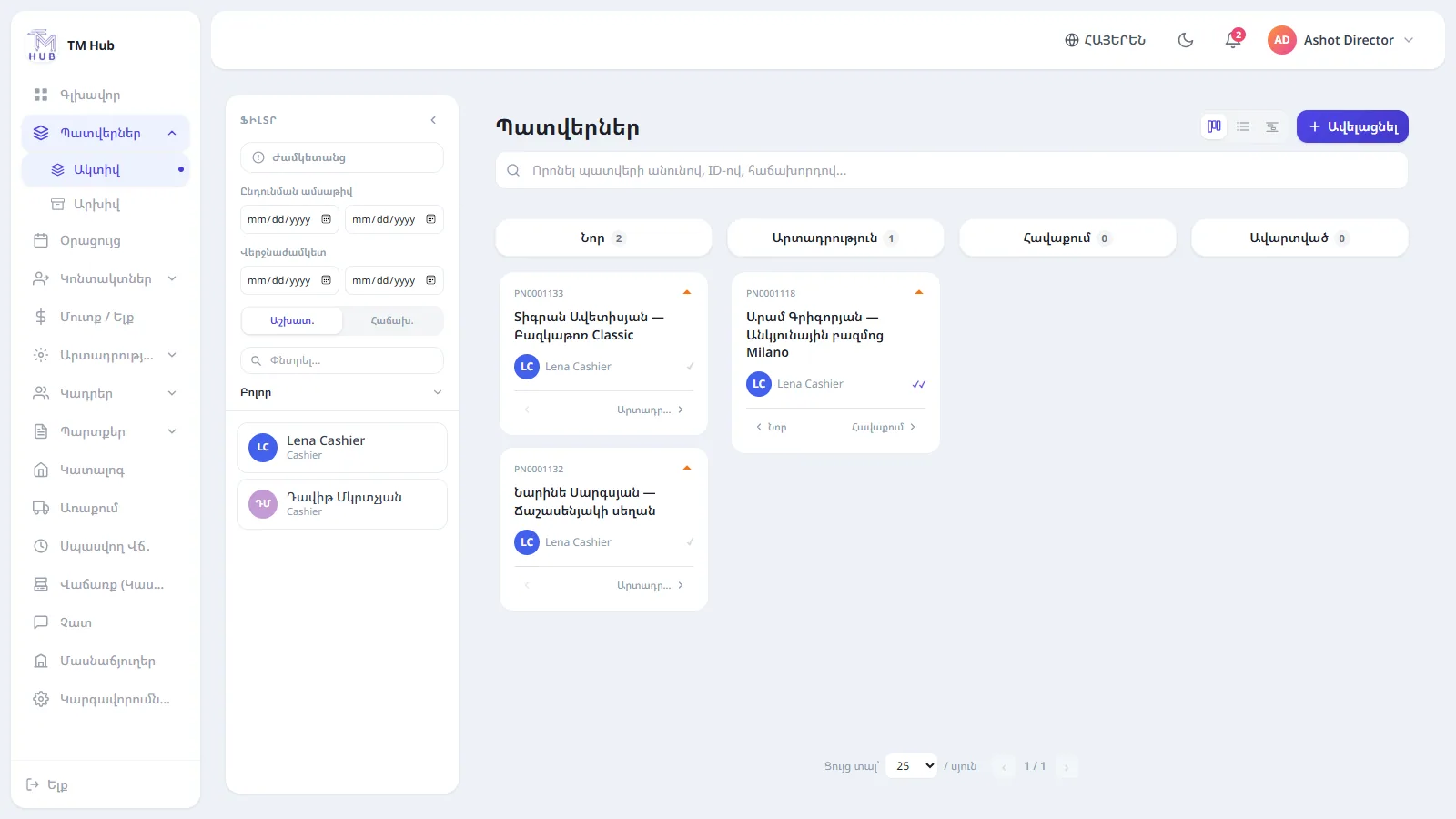
System screen: orders in one shared workspace.
Clients shouldn't have to start from the beginning every time
Imagine a regular client is answered today by a different employee. They ask about a previous order and want to continue on the same terms.
If the history lives only on one employee's phone, the conversation starts with a chain of clarifications. If the client's orders and call history are accessible, the team can pick up the work that was already under way.
In TM Hub, the client card connects their orders, calls and financial data, within the user's permissions. The next call can be scheduled so the agreed step stays in the workflow.
Lots of orders don't show how much money came in
To understand the month, it's worth looking separately at the value of the work and at the payments actually received.
A simple example: a company has an order worth 900,000 AMD with a recorded deposit of 300,000 AMD. That's one order with 600,000 AMD still unpaid. Treating the full value as money already received can get in the way of planning the next expenses.
The payments and unpaid balance recorded against an order in TM Hub help keep these figures apart. The financial picture should be based on actual records.
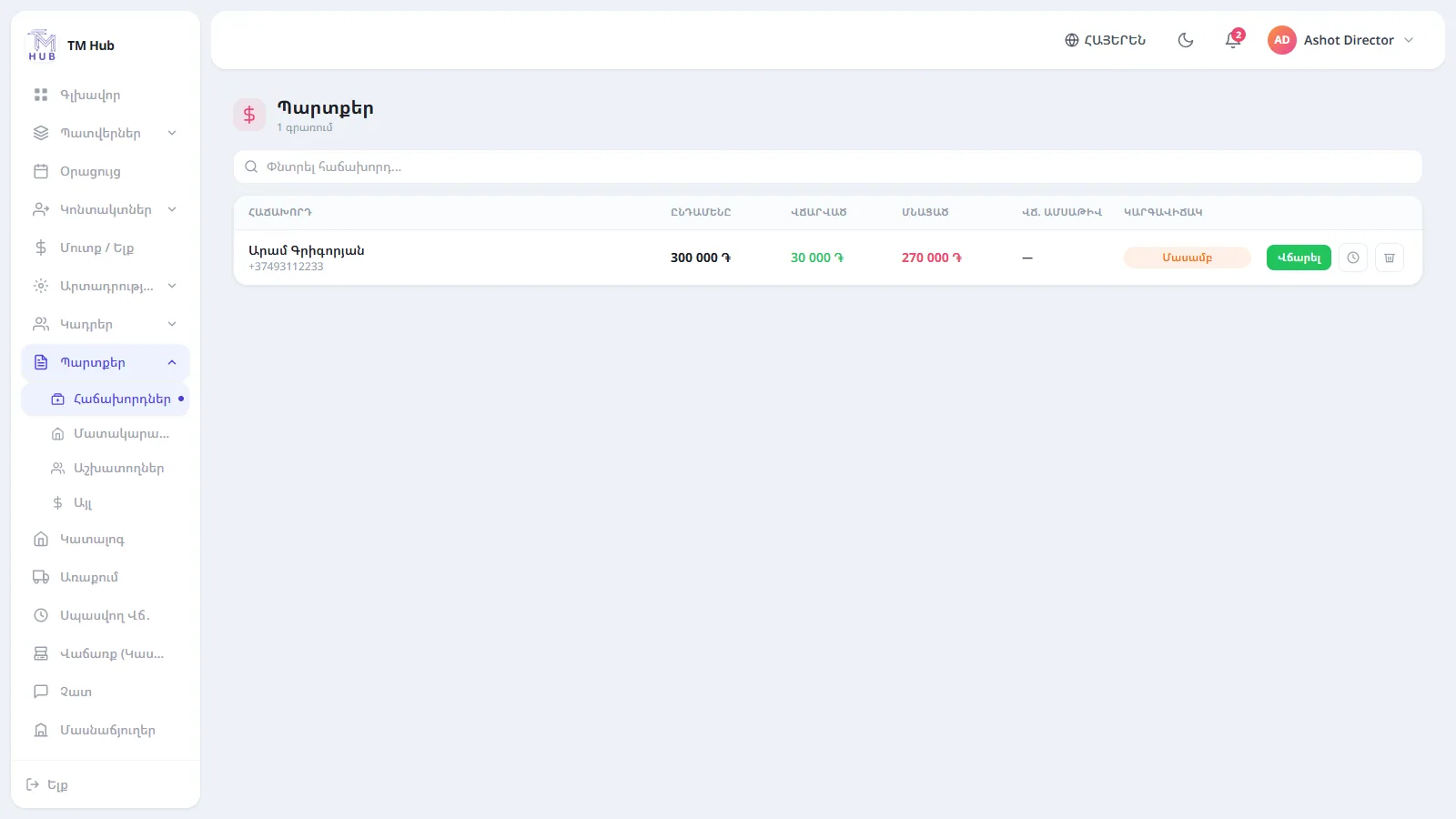
System screen: client debts and unpaid balances, tracked separately.
A quick self-check for your team
At your next team meeting, take these five questions. It's not a ranking or a scientific test — it will help you find the unclear parts of your process.
- Does each employee know where to find their next task?
- Does every active order have a clear owner?
- Is the latest agreement with a client visible to the team serving them?
- Are payments linked to the right order or client?
- Can the manager see upcoming deadlines without asking everyone in turn?
Pick one question whose answer isn't clear yet. A small but complete change is easier to introduce and to measure.
How to start without stopping work
The first step is simply to describe the process you already have. Choose one client request or order and follow it through to the end.
- Define the stages. What path does the work take?
- Name the owners. Who does the work and who decides the next step?
- Agree on the data. What must always be recorded — a deadline, an amount, the next contact or another condition?
- Test it on a few real records. See which questions already have answers and where clarification is still needed.
- Expand as needed. Add the next process once the first one is clear to the team.
Well-organised work also depends on the team's habit of recording changes on time. Software helps store and connect the data, but its accuracy depends on how it's used.
One platform for different workflows
Day-to-day life at a workshop, a beauty salon and a real estate agency is different. But they all need client contact, someone responsible for the work, a deadline and control over the result.
TM Hub brings together tools for clients, orders, the calendar, finance and team management. With Studio and the Module marketplace you can also choose an industry-specific workflow, depending on what is available to your company.
- For furniture workshops — order stages, assignees, deadlines and payments.
- For beauty salons — bookings, staff schedules and visits.
- For real estate agencies — properties, client requirements, viewings and deals.
The features you choose and how you set them up should match your real work. One of the best ways to find out is to run your own example through the system.
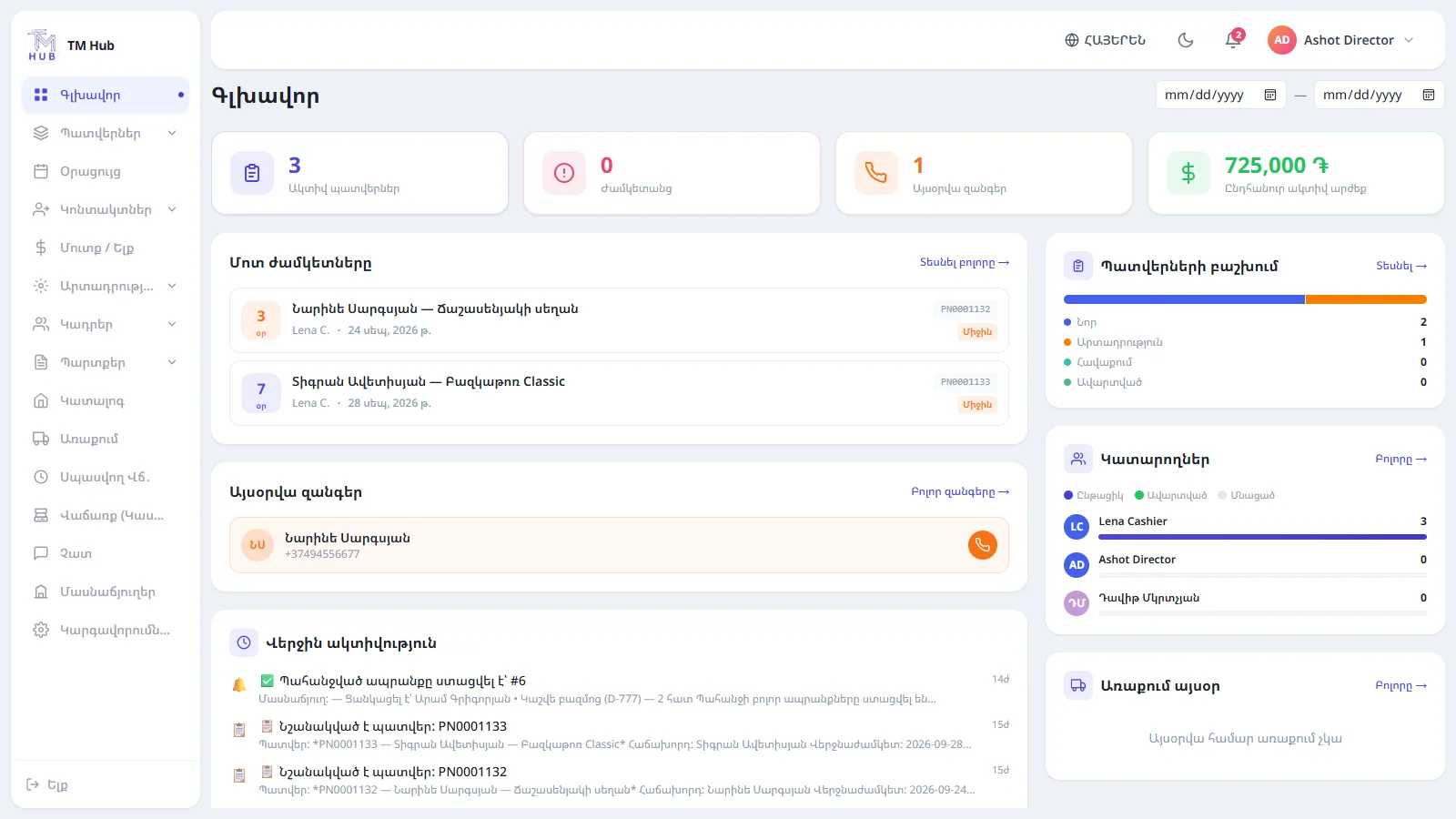
System screen: current working data on the main dashboard.
Bring your most awkward question to the demo
“Which order is running late?” “Who should be calling today?” “How much money are we still owed?” “What happens if this employee is off tomorrow?”
Pick the question that takes your team the most back-and-forth to answer. Walk us through your process, and together we'll discuss how to set it up in TM Hub.
Your business should keep working even when you're busy with the next important decision.
Frequently asked questions
When client, order, owner, deadline and payment data sit in different places and the team keeps checking with each other to understand where things stand. To start, you can pick one process and assess what it needs.
It depends on the system. Alongside clients and orders, TM Hub also brings together tools for the calendar, finance and team management. The scope you need is set by how your company actually works.
A practical approach is to start with one complete process: define the stages, owners and required data, test it on a few records, then widen its use.
For the demo, bring your real working scenario — from the client's request to delivery and payment. That example lets you judge the fit and the settings you'd need.


