 TM Hub
Excel and notebooks are great tools at the start of a business. But at some point they stop helping and start getting in the way: they eat time, hide the real numbers and make the business depend on one person's memory. Here are 7 signs that this moment has come, and how TM Hub, a CRM/ERP for production and retail, closes each of them.
1. You find out an order's status by phone
If answering "what stage is this order at?" means calling the craftsman or opening three different files, orders are already getting lost.
In TM Hub every order has a stage, an assignee, a deadline and a payment history. The Kanban board updates in real time: a stage changes in one click and notifies the assignee. You define the stages yourself: measuring, production, assembly, delivery or anything else. More: CRM for production →
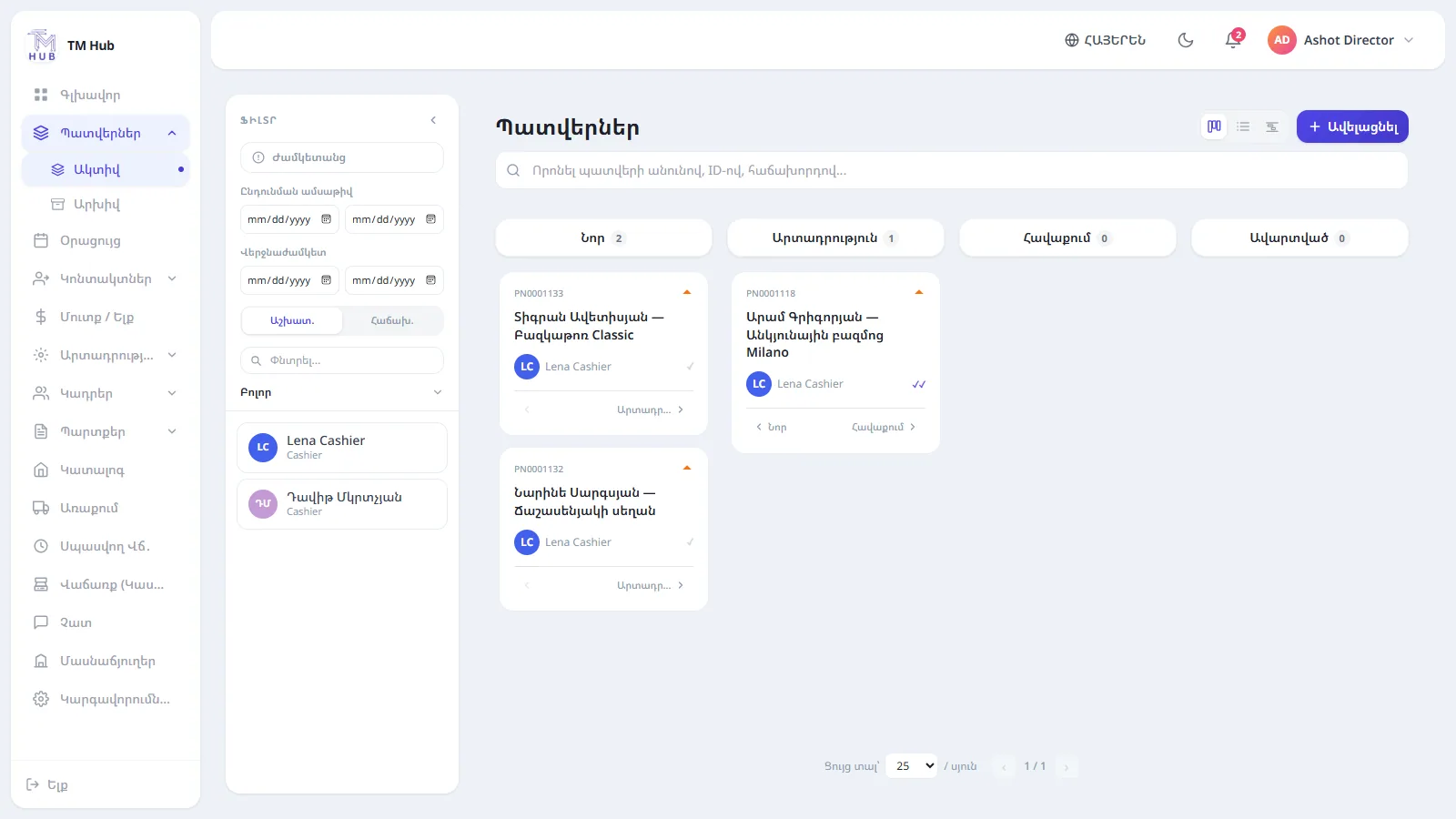
The order board in TM Hub: stages, assignees and deadlines.
2. Warehouse stock does not match reality
An item was sold but the number in the file did not change. As a result you order either too much or too late.
In TM Hub stock changes automatically: it grows with receipts and drops with sales. You do not have to give up Excel: you load products from an Excel file. The system first shows a preview and a list of errors with the row number and reason, and if there is even one error, nothing is saved. A minimum-stock alert reminds you to reorder on time. More: warehouse inventory →
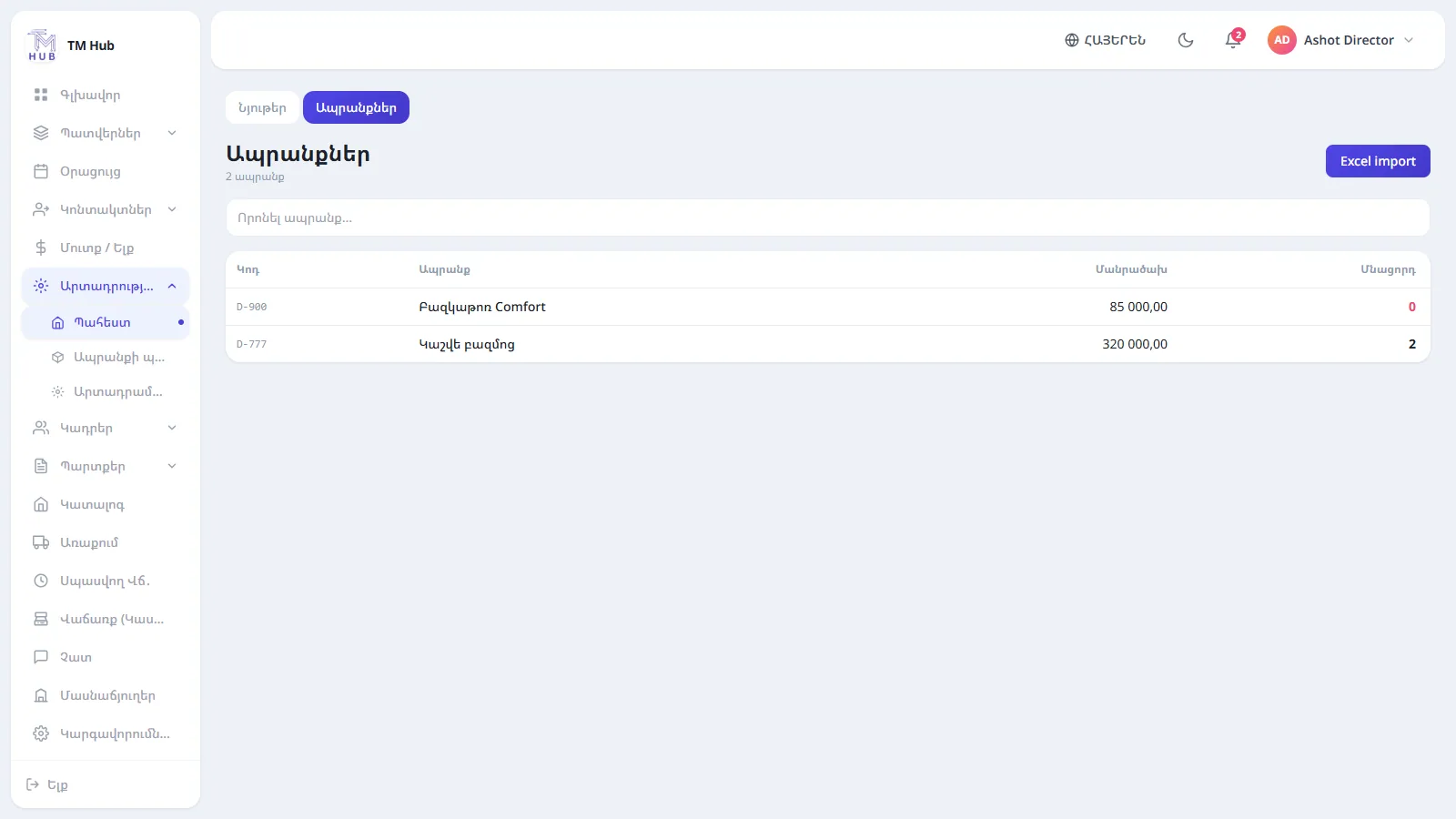
Stock, receipts and price history in one place.
3. You do not know your real profit
Cash, card, instalments, advances: when money is scattered across different notebooks, you calculate profit "roughly" at the end of the month.
In TM Hub order and sale payments land in finance automatically, cash and card are shown separately and expenses are grouped by category. The profit report is calculated by cost using FIFO, that is, at the price of the oldest receipt. More: cash register (POS) →
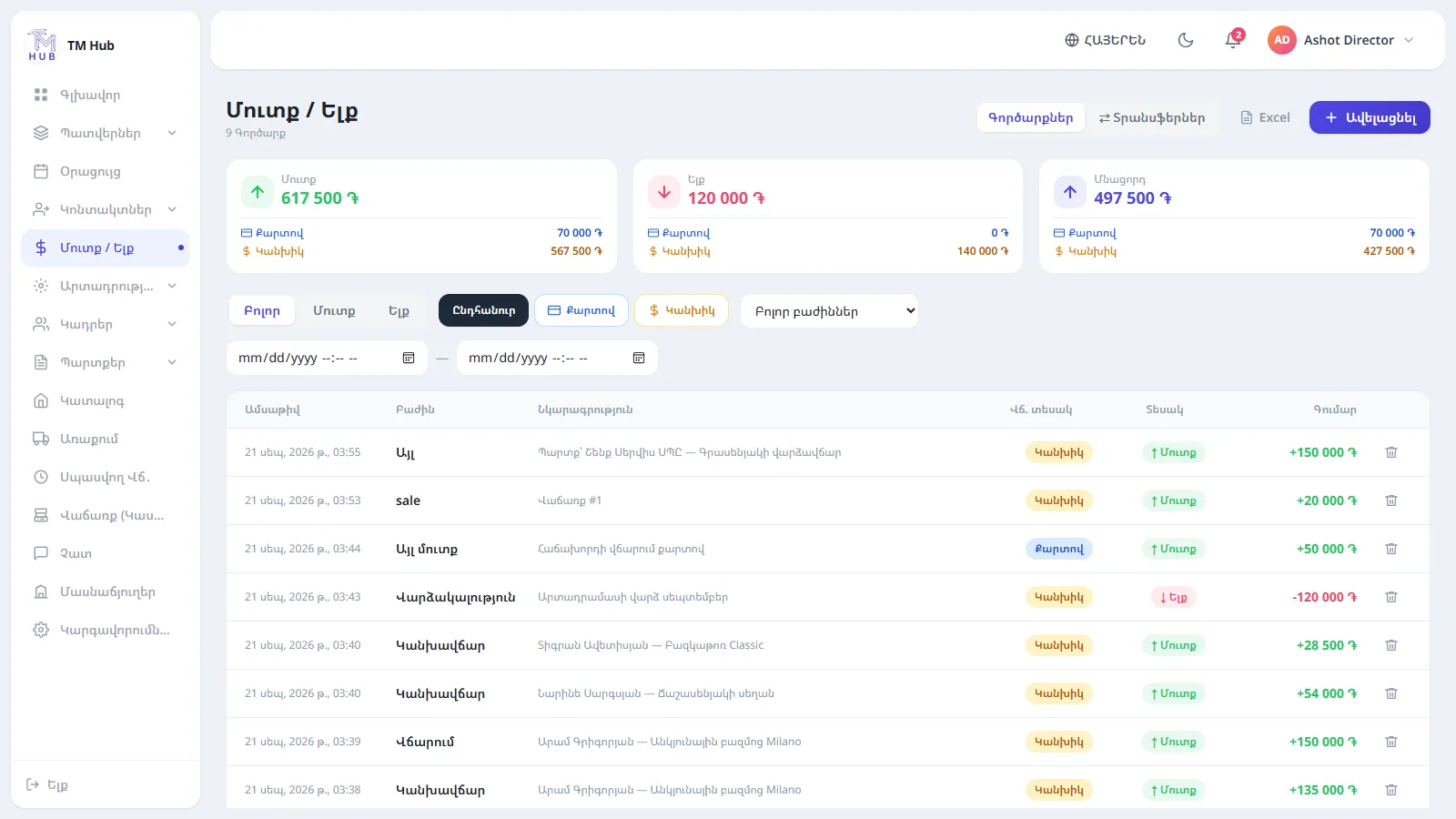
Income and expenses with filters and Excel export.
4. Debts get forgotten
A customer's instalment, a supplier debt, an advance paid to an employee: when they are written down in different places, some of them will surely be forgotten.
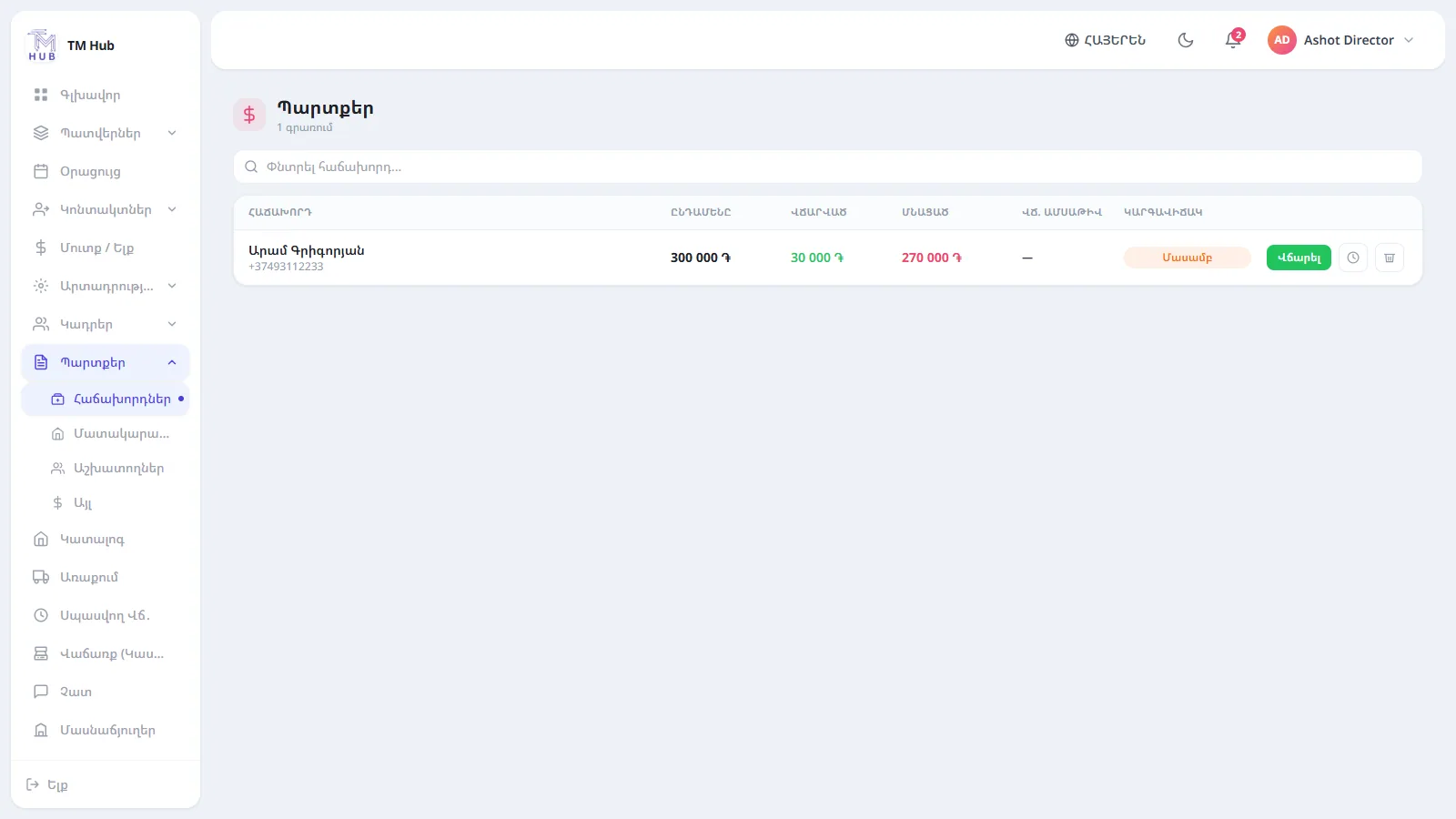
In TM Hub debts come in four kinds: customers, suppliers, employees and other, with partial repayment. A customer's debt is visible right on their card.
5. Customers write from four different places
One writes on Telegram, another on WhatsApp, a third on Instagram. Several people on the team reply, and nobody knows who promised what.
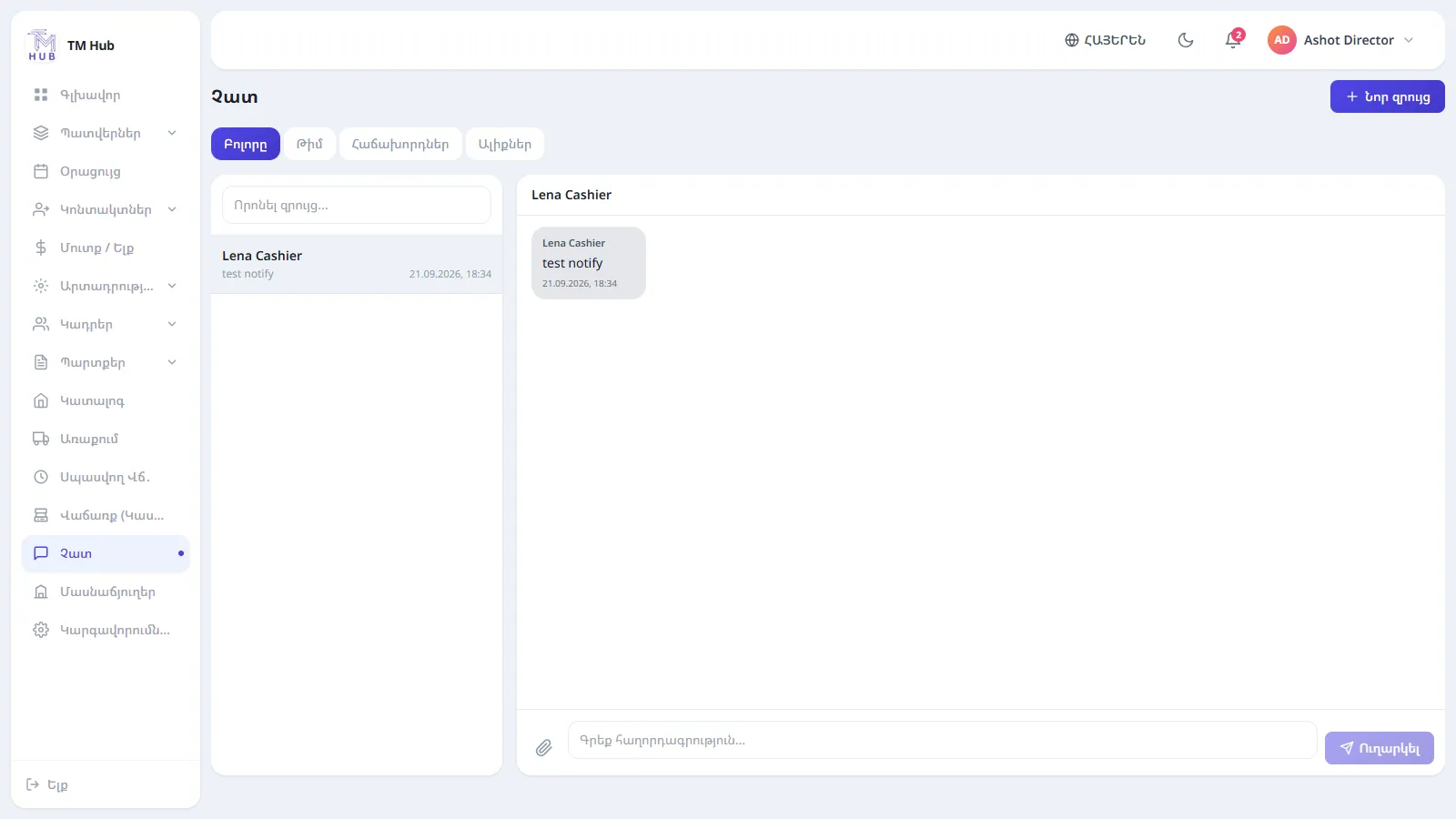
In the TM Hub chat, messages from Telegram, WhatsApp, Instagram and Viber land in one window, and the reply goes out through the same messenger the customer used. You can assign an owner to every conversation, and unread messages are marked with an orange indicator. WhatsApp and Instagram require a Meta Business account.
6. Payroll takes hours at the end of the month
When salaries depend on sales or completed orders, calculating them by hand for every person is slow and a source of disputes.
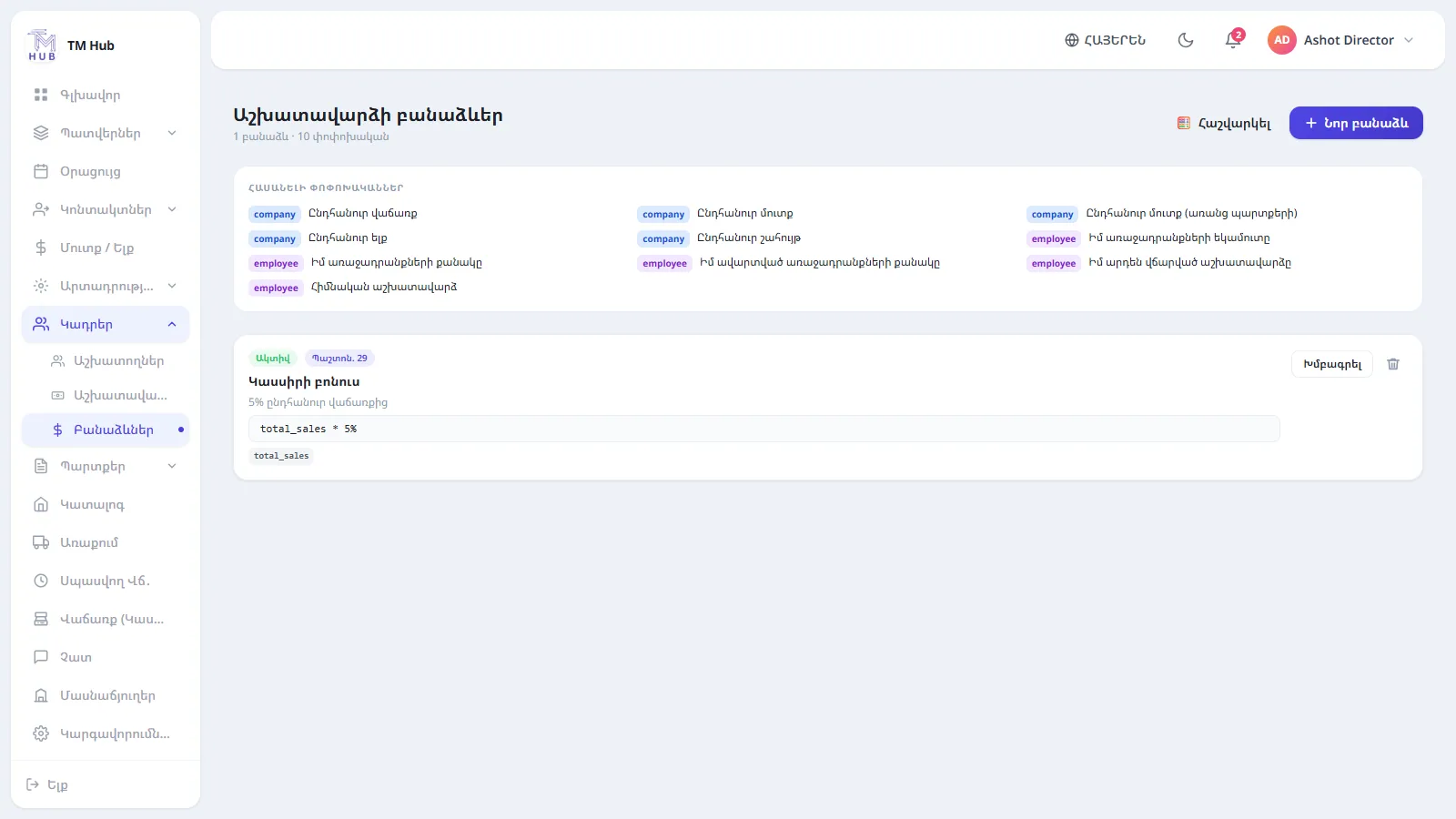
In TM Hub you set the formula once, for a position or for a specific employee, and the system calculates it itself, taking already paid advances into account.
7. Everyone can see the file
When an Excel file is passed around, every employee sees everything: prices, cost, salaries. In TM Hub each position sees only the pages the director has given it. If you have several branches, they have separate cash registers and staff, while reporting stays unified.
How many signs did you recognise?
If two or three of them are familiar, it is time to think about a system. Excel is a great tool, just not for running the whole business.
When a business depends on one file and one person's memory, every new order adds to the chaos rather than the profit.
How to switch without disruption
- We set it up. We create your company: branches, positions, order stages and who sees what.
- You import. Products and receipts from Excel; customers are added or imported.
- You work. Orders, sales, warehouse, finance: everything is connected and reports build themselves.
TM Hub runs in the browser with nothing to install, and the interface is available in Armenian, Russian and English. Book a demo: we will show the system on your own business and help you import data from Excel.
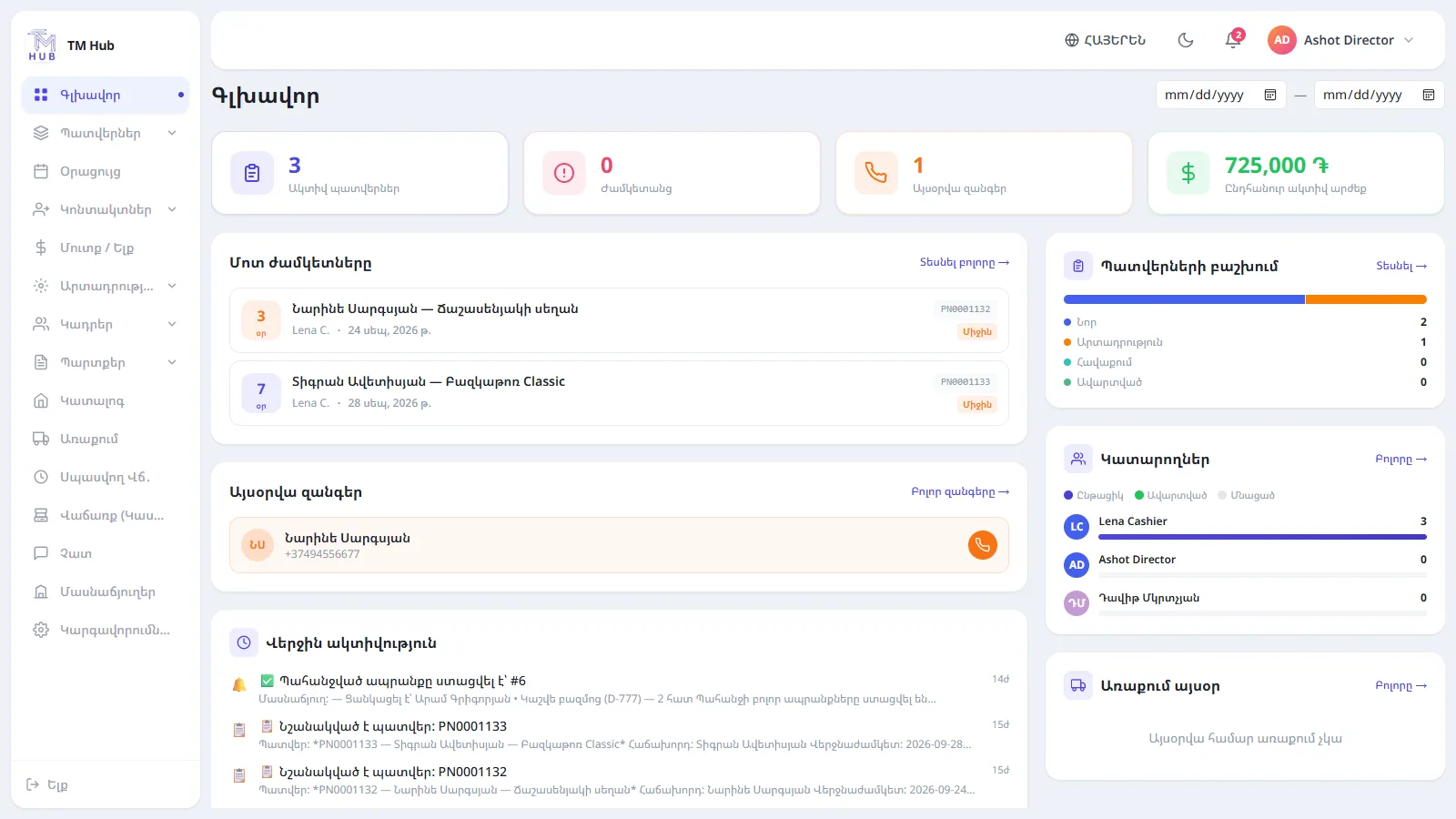
The TM Hub dashboard: the whole business on one screen.