


“What stage is the kitchen at?”
Answering this simple question from a client can take three phone calls. The measurer says he passed the data on. The workshop checks which version was final. The fitter is waiting to be told which day to be ready. And the client has already planned their day around the promised delivery.
In furniture making, every order has its own dimensions, agreements, people and deadline. When that information is spread across notebooks, Excel files and messages, the manager becomes the person who has to remember everything and connect everyone.
TM Hub helps a furniture workshop manage orders, production stages, the people responsible and payments on one platform.
Why a furniture workshop needs management software
A custom furniture order has a long journey. Between the client's first call and installation, the dimensions, materials, price or handover date can all change.
Meanwhile the workshop is handling several orders at once. One is being measured, another is in production, a third is ready but waiting for delivery. Without a shared system it's hard to see quickly:
- Which order is approaching its deadline?
- Whose work does the next step depend on?
- Which agreement is final?
- How much has the client already paid?
- Which client needs a call today?
- What's stopping the work from being delivered on time?
Furniture workshop software should give you these answers straight from your working data.
Order details in one place
An order is more than a client's name and a total. The team needs the client's contacts, the order description, the agreed deadline, the people responsible and the payment details — and everyone should be working from the same record.
In TM Hub, an order is linked to the client. The client card shows their orders, call history and financial data, within the user's permissions.
If the same client ordered a wardrobe before and now wants a kitchen, the team can carry on from the saved history.
Production stages that follow your workshop's process
Every workshop organises its work differently. One company has a separate measuring team; in another, the same person also does installation. The stages in the system should match your process.
In TM Hub you can define order statuses, their order and colours. For example:
New order → Measuring → Approval → Production → Assembly → Delivery → Completed.
This is one possible setup: stages are configured to your needs. On the order board the manager sees how the work is distributed. If many orders have piled up at one stage, it's immediately clear where to look for the cause.
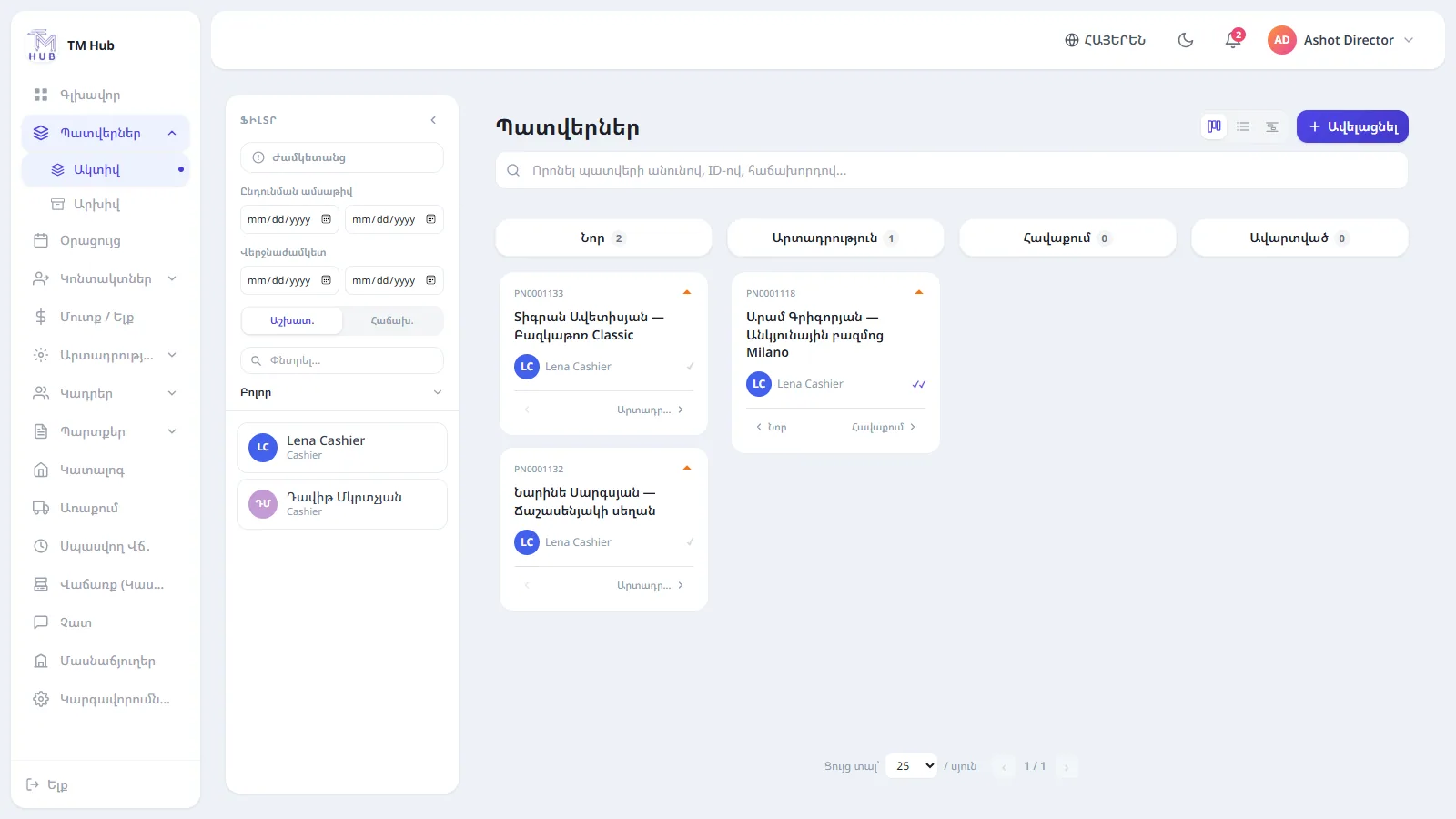
System screen: a shared workspace for tracking order progress.
Who is responsible for the next step?
When several people work on an order, “we all knew about it” often leaves a gap in responsibility. You need to be clear who does the work, at which stage they come in and by when they must finish their part.
In TM Hub, orders get assignees, and the work is tracked by stages and deadlines. The team sees its own scope of work and the manager sees the overall picture. That makes the order's progress easier to follow even on days when the manager isn't in the workshop.
Deadlines you need to see before you're late
Remembering the date promised to the client at the final stage is already too late. The deadline should be visible when you plan the work, alongside the other orders. TM Hub's order and calendar tools help you keep track of deadlines and scheduled follow-up calls.
For example, if an order is still in production and the handover date is approaching, the manager can check the situation in advance, reshuffle the work or contact the client in good time.
Deadline tracking is useful while there's still time to act.
Deposit, interim and final payments — linked to the order
In furniture making, payment often comes in several parts. The client pays a deposit to start the order, then an interim payment, and the rest on delivery. If payments are kept apart from the order, every check becomes extra work.
In TM Hub, an order's payments are linked to the order itself. You can see the total value, the recorded payments and the unpaid balance.
A simple example: for an order worth 1,200,000 AMD, a deposit of 400,000 AMD and an interim payment of 300,000 AMD have been recorded. The balance is 500,000 AMD.
This distinction matters for the manager too: the full value of an order is not yet money received.
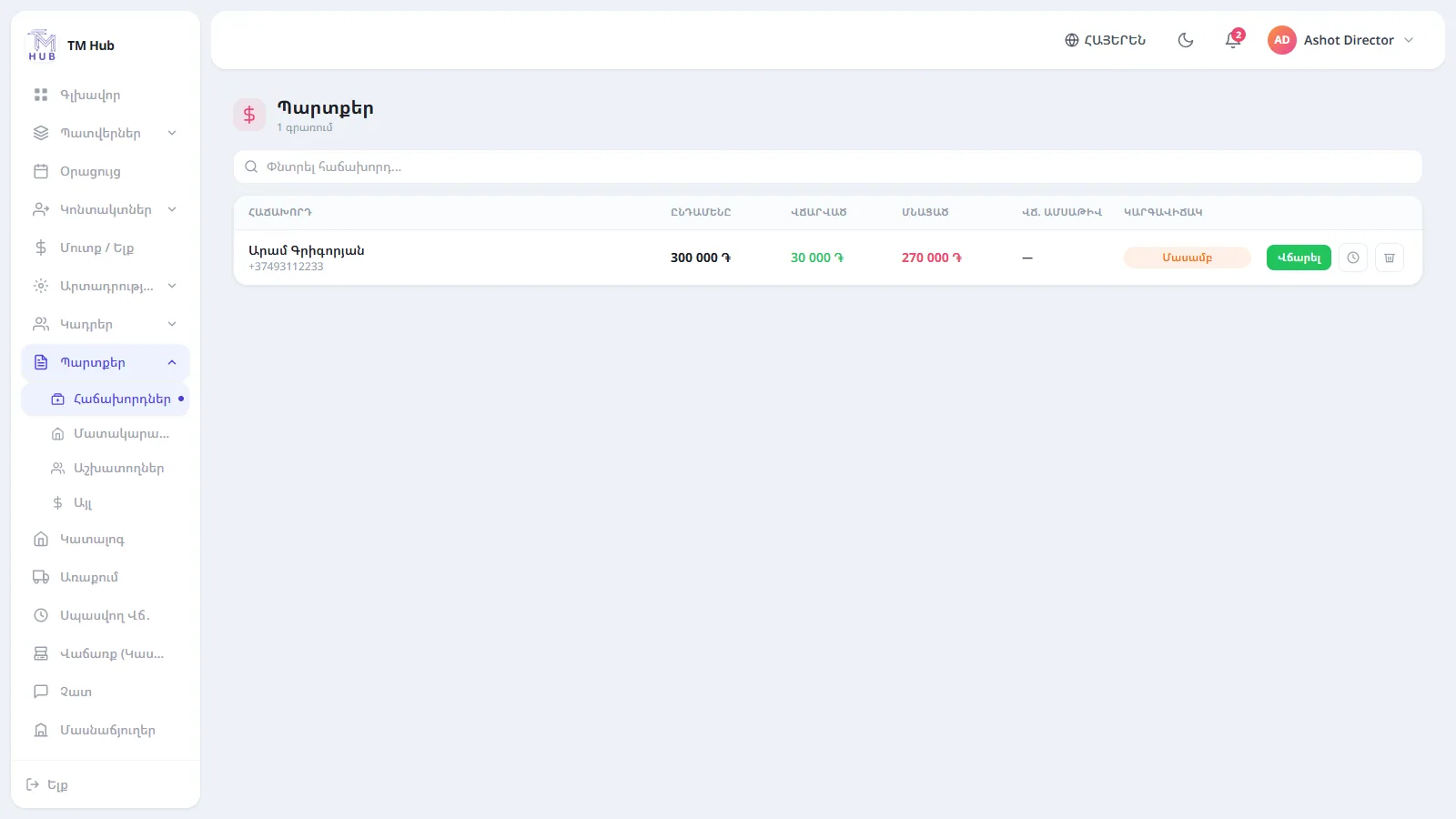
System screen: tracking client debts and unpaid balances.
Client contact with the history kept
You need to call the client back, confirm a decision or agree the next step. When those tasks live only in an employee's memory, it's easy to miss an important agreement.
In TM Hub, the client card brings together the history of orders, calls and payments. You can schedule the next call and continue the work with the earlier information in front of you.
It also helps when the employee serving the client changes. The new person can understand where things stand without asking the client to tell the whole story again.
Payroll by the rules you set
In some workshops pay depends on completed orders or other work measures. Collecting that data from different sources at the end of the month takes time.
In TM Hub, pay formulas can be set per position or per employee, within the available calculation options. Before rolling it out, it's important to test your real pay rule on a concrete example. The team should be clear about which work counts towards pay, when and how.
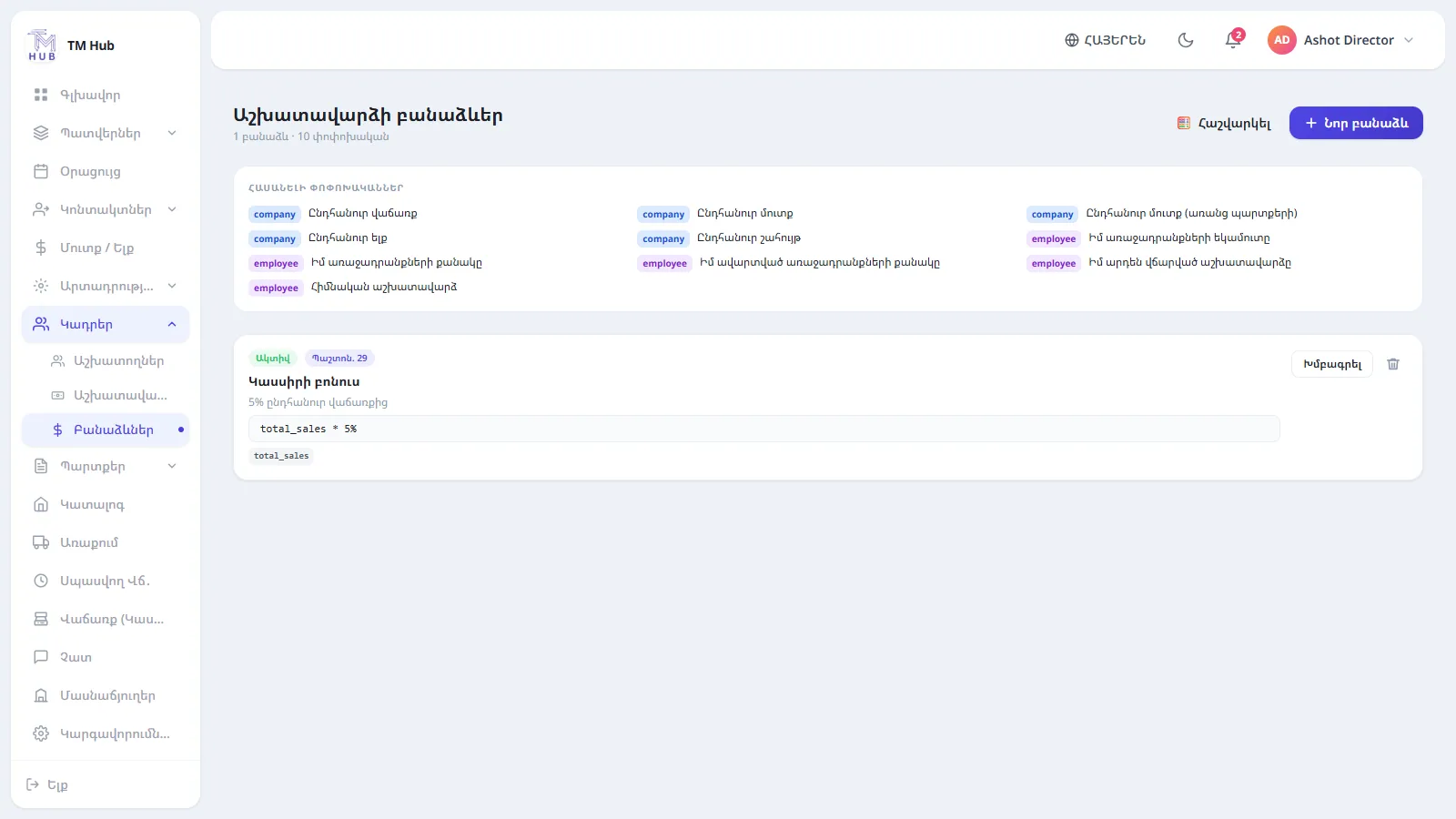
System screen: payroll calculation data in one section.
How it works for a single kitchen order
Imagine a client orders kitchen furniture.
- The order is registered. The client, the main agreements, the person responsible and the planned deadline are recorded.
- Measuring begins. The team follows its progress.
- The order moves into production. The new status shows on the order board.
- Payments are recorded. The current balance is available on the order.
- The work goes through assembly and delivery. The people responsible carry on within the same order.
- The order is completed. The client's history is kept, and any balance due is tracked separately.
Each step is tied to the same order. The manager can see the progress without gathering information from different people every time.
How to choose software for furniture production
At a demo, take one of your real orders and ask to go through the whole process. Check whether you can set your own stages, assign people, see the deadline and record several payments separately.
Ask specifically about specialised features. If you need cutting layouts, material calculations, CNC programme preparation or machine integration, assess them against separate requirements.
Order management and furniture design tools solve different problems. When rolling out, it's important to decide which tool is used for which job and how data passes between them.
Where to start organising your workshop
To begin, it's enough to pin down three things: the real stages of your orders, the person responsible for each stage, and the rule for recording deadlines and payments. Then try the system with a few current orders and see where it makes work easier and where it needs extra setup.
Want to see your workshop's orders, assignees and payments on one platform?
Explore TM Hub's solution for furniture workshops or contact us to arrange a demo based on your workshop.
Frequently asked questions
It helps organise client orders, work stages, the people responsible, deadlines and payment tracking. Specialised production features should be checked within the chosen solution.
Yes. In TM Hub, order stages, their colours and their sequence are configured to match how the company works.
Yes. A deposit, interim and final payment can be recorded against an order, with the balance tracked.
It can be considered for workshops that make kitchens, wardrobes and other custom furniture. It's best to check the fit using a real order.
Pricing and the scope of the rollout depend on the features you need and your company's requirements. Contact the TM Hub team to discuss an option for your workshop.


